
Download Kana Flash – Free Japanese Flashcard App for Language Lovers
Kana Flash is a dedicated learning tool crafted for anyone who wants to master the Japanese writing system quickly and efficiently. By turning the Hiragana and Katakana syllabaries into interactive flashcards, the app gives users a visual‑first approach that pairs each character with clear pronunciation guides and mnemonic tips. Whether you’re a complete beginner, a traveler preparing for a short trip, or a seasoned student polishing your kana recall, Kana Flash offers a secure, ad‑free environment that works offline, making study sessions possible anytime, anywhere. The app’s clean interface, spaced‑repetition algorithm, and regular free updates keep the learning curve gentle while delivering measurable progress. In this review we’ll explore the core features, walk through installation on multiple platforms, and weigh the pros and cons so you can decide if Kana Flash is the right tool for your Japanese language journey.
Overview of Kana Flash: What Makes It Stand Out
Key Features, Pros, Cons, and Frequently Asked Questions
- Comprehensive flashcard decks covering all 46 Hiragana and 46 Katakana characters.
- High‑quality audio pronunciation by native Japanese speakers.
- Spaced‑repetition algorithm that adapts to individual learning speed.
- Offline mode – all content is stored locally for uninterrupted study.
- Customizable quiz modes: multiple‑choice, typing, and listening tests.
- Progress tracking with visual graphs and daily streak counters.
- Free updates and optional secure cloud backup for syncing across devices.
Pros
- Focused on kana only, eliminating unnecessary clutter.
- Intuitive UI works well on both small phone screens and tablets.
- No ads; the free version is truly ad‑free.
- Regular security patches keep the app safe.
- Audio and visual cues support different learning styles.
Cons
- Limited to kana; does not cover kanji or vocabulary beyond the scripts.
- No built‑in gamification elements such as leaderboards.
- Cloud sync requires a separate sign‑up and is optional.
Frequently Asked Questions
Is Kana Flash completely free?
Yes, the core flashcard decks and all core features are free. A small optional subscription unlocks cloud backup and priority support, but it is not required to use the app.
Can I use Kana Flash on both Android and iOS?
Absolutely. The app is available on Google Play Store for Android and the Apple App Store for iOS, with identical feature sets on both platforms.
How does the spaced‑repetition system work?
After each answer, the app rates your response (correct, almost correct, wrong). Based on this rating, it schedules the next review – easy cards appear after longer intervals, while challenging cards reappear sooner.
Is my progress data safe?
All progress data is stored locally on your device. If you enable cloud sync, the data is encrypted and transmitted over HTTPS to a secure server.
Does Kana Flash work on desktop computers?
Currently the app is only available for mobile operating systems (Android, iOS). However, you can run the Android version on Windows or macOS using an emulator such as BlueStacks.
Installation, Usage Guide, and Compatibility
Kana Flash is compatible with the following platforms:
- Android 5.0 or later (Google Play Store)
- iOS 11.0 or later (Apple App Store)
- Windows 10/11 (via Android emulator)
- macOS 10.13 or later (via Android emulator)
Step‑by‑Step Installation
- Open the Google Play Store (Android) or the Apple App Store (iOS).
- Search for “Kana Flash”.
- Tap “Install” (Android) or “Get” (iOS) and wait for the download to finish.
- Once installed, launch the app and grant permission to access local storage – this is required for saving progress.
- On first launch, you’ll be greeted with a brief tutorial that explains the flashcard navigation, audio playback, and quiz options.
How to Use the App Effectively
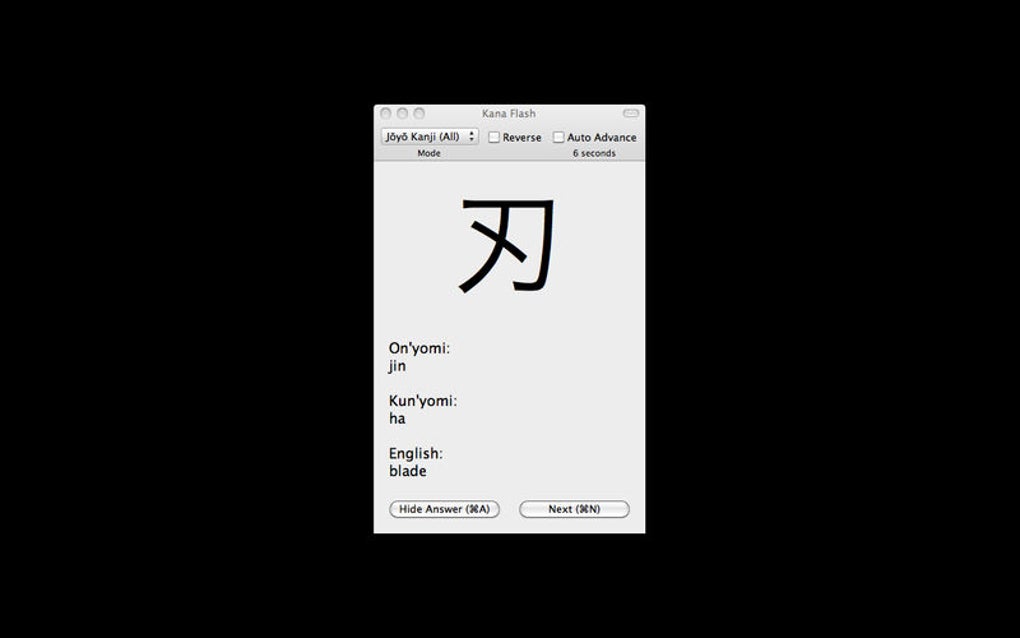
After the initial tutorial, the main dashboard displays two large buttons – “Hiragana Deck” and “Katakana Deck”. Choose a deck to start a learning session. The app will present a random character, display its Romanized reading (romaji), and play an audio clip when you tap the speaker icon.
You can then attempt to recall the sound, type it, or select it from multiple choices, depending on the mode you select in the settings. The built‑in progress chart shows daily streaks and the percentage of characters you’ve mastered. To accelerate learning, enable “Daily Reminder” in the settings – the app will push a gentle notification at your chosen time, encouraging consistent practice.
For learners who switch devices, enable the optional cloud backup under “Settings → Sync”. This encrypts your progress and restores it when you log in on a new phone.
Updating and Security
Updates are delivered automatically through the respective app stores. Each update includes bug fixes, performance improvements, and sometimes new mnemonic tips. Because Kana Flash stores data locally and uses HTTPS for any cloud communication, your study data remains private and protected against common threats.
Conclusion & Call to Action
Kana Flash delivers a focused, ad‑free, and highly effective way to master the Japanese kana scripts. Its combination of high‑quality audio, intuitive spaced‑repetition, and offline capability makes it a reliable companion for beginners and intermediate learners alike. While it doesn’t cover kanji or extensive vocabulary, its singular purpose ensures a clutter‑free experience that speeds up the essential first step of Japanese literacy. If you’re looking for a free, secure, and regularly updated tool to build a solid foundation in Hiragana and Katakana, Kana Flash is definitely worth a download.
Ready to start your Japanese journey? Click the button below to download Kana Flash for Android or iOS and begin practicing instantly.







